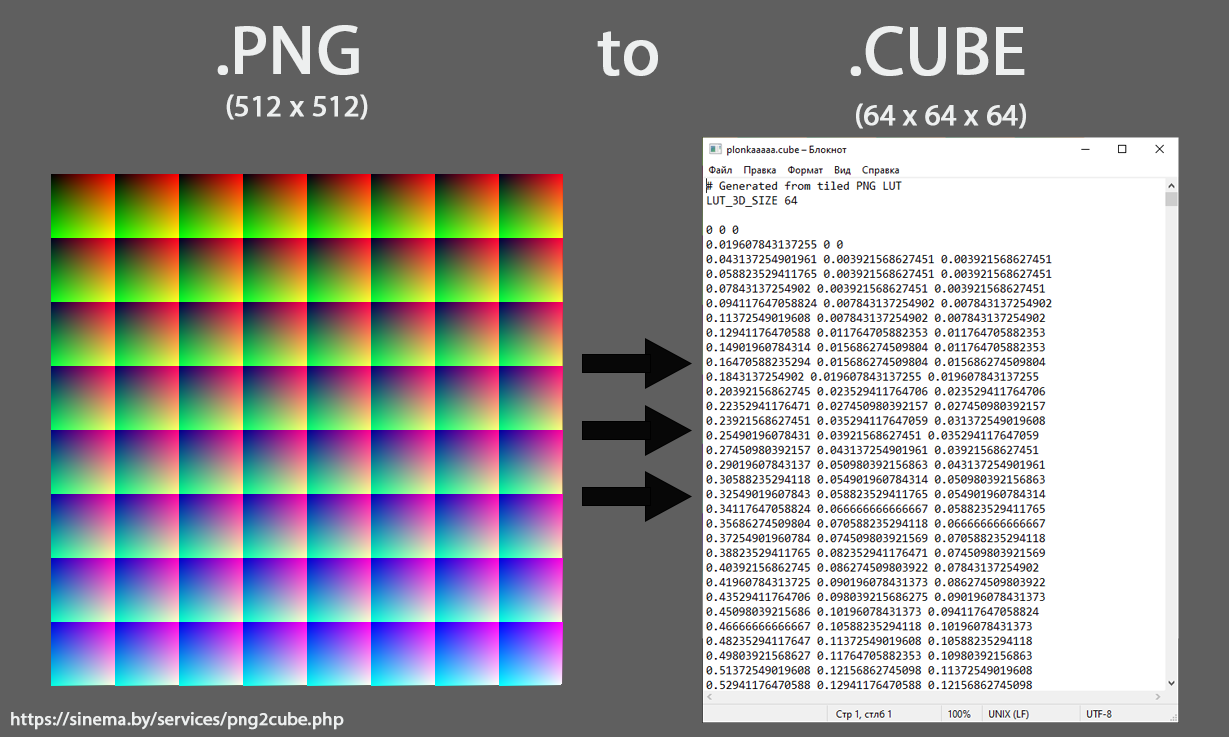
Today we built a simple but very useful tool: converting a PNG 3D LUT image into a standard .cube file.
Many users apply color correction in OBS Studio or other software that stores LUTs as PNG images (a 3D LUT unfolded into 2D). However, most professional editing and color grading tools require the standard .cube format and cannot use these PNG files directly.
This script solves that problem:
it converts a PNG LUT into a fully compatible .cube 3D LUT that works in any editing or color grading software.
Practical benefits
✅ Use OBS color correction in professional workflows
Transfer your color adjustments into any software that supports .cube.
✅ Create custom LUTs using Adobe Photoshop
You can take a neutral LUT image (containing all colors), apply adjustment layers, save the PNG, and generate a ready-to-use .cube. This allows LUT creation without specialized tools.
✅ Unified workflow across tools
Any software capable of modifying image colors can effectively become a LUT generator.
Additional powerful use cases
Beyond the obvious scenarios, this enables new possibilities:
🔥 Transfer color styles between different applications
Extract looks from one tool and reuse them elsewhere.
🔥 Archive and store color looks
PNG files can serve as visual presets and be converted back into LUTs anytime.
🔥 Algorithmic LUT generation
Programmatically generate PNG images to produce complex color transforms.
🔥 AI / machine learning style generation
Neural networks can modify LUT images, instantly producing new LUTs.
🔥 Export looks from any image editor
Any software that can open and save PNG can be used to design LUTs.
🔥 Version control for color grading
PNG files are easy to compare visually and store in version control systems.
This approach turns a simple image into a universal format for exchanging color transformations between different tools and workflows.